Document Management
An integrated platform for managing and centrally storing safety documents with easy access, security, and organized control.
The Document Management System within the Green Codes platform provides a complete digital solution for managing and storing all safety, quality, and compliance documents efficiently. It starts with uploading and centrally classifying documents, followed by organizing different versions and revisions, and ensuring quick search and easy access to approved files. The system enables organizations to securely store policies, procedures, forms, certificates, and attachments through the web or mobile application, with flexible access permissions, helping improve knowledge management and reduce data loss.
The system also supports instant reports and interactive dashboards to monitor document validity, update dates, and expiry dates, enabling decision-makers to ensure compliance and improve operational efficiency. This comes as part of supporting approved regulations and standards such as the Saudi Building Code (SBC), while enhancing governance and improving access to information within organizations.
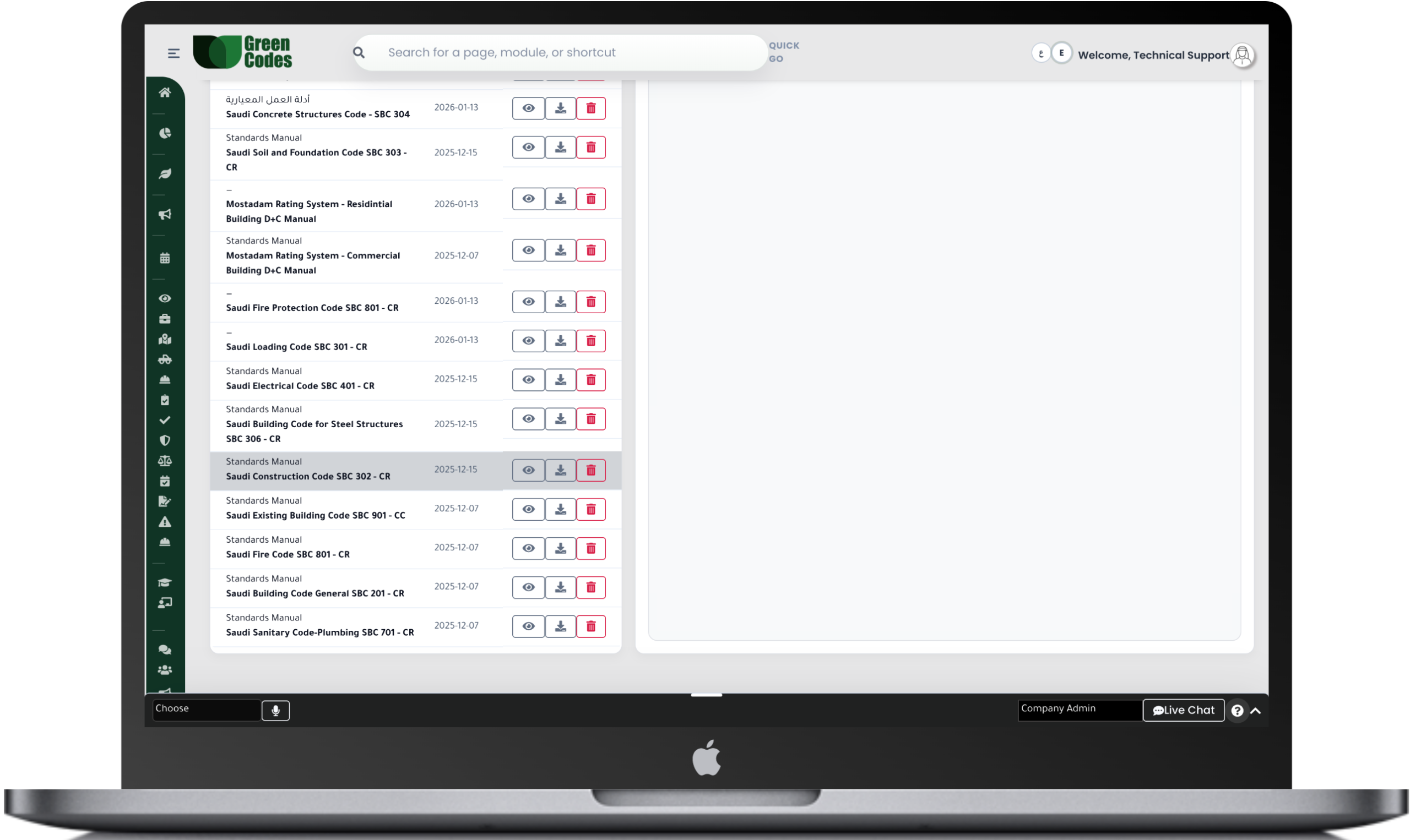
The Document Management System within the Green Codes platform provides a complete digital solution for managing and storing all safety, quality, and compliance documents in a centralized and secure way. The system allows users to upload files, classify them by type, project, or department, and define access permissions for different users, ensuring easy access to approved documents anytime and from anywhere.
The system also supports managing different document versions, allowing full tracking of all updates and previous modifications while maintaining the currently approved version. This helps improve knowledge management efficiency and reduces errors caused by using outdated documents.
The system provides a comprehensive set of reports and interactive dashboards that help monitor the status of all documents within the organization, such as expired document reports, documents approaching expiry dates, and document update history.
It also provides detailed reports on access permissions, the number of file downloads or openings, and reports related to project documents or compliance requirements, helping management ensure the right documents are available at the right time.
The system follows a clear and organized workflow that starts with uploading the document by the user or responsible person, then sending it for review and approval by the concerned parties. After approval, the document is published and becomes available to users according to the defined permissions.
When a document approaches its expiry date or requires updating, the system automatically sends alerts to responsible persons to update the version or archive it, while keeping a complete record of all previous versions.
Document Upload ← Review ← Approval ← Publishing ← Notification ← Update / Archiving
- Document version management
- Role-based access permissions
- Document expiry alerts
- Fast and smart file search
- Secure electronic archiving
- Linking documents with projects and other modules
- Uploading files (Images / PDF / Word / Excel)
- Complete audit trail for all modifications
Frequently Asked Questions (FAQ)
What is the objective of a Document Management System in HSE and project environments?
The goal is to ensure that everyone is working with the latest version of policies, procedures, and forms, with the ability to prove who approved a document and when it was changed. In large projects, version confusion causes operational errors and compliance risks. The system provides a single repository with access controls and versioning.
What types of documents are typically managed within the system?
Typical documents include HSE policies and procedures, emergency plans, inspection forms, risk methodologies, Safety Data Sheets (SDS/MSDS), equipment certificates, and training records. It also manages contractor documents like Method Statements and HSE Plans. Categorizing these by project and type allows for faster retrieval during audits or investigations.
How does version control, review, and approval work?
A review cycle can be established involving the author, technical reviewer, and final approver, with each version and a change log saved. When a new version is issued, the previous one can be unpublished or archived to prevent operational use. This aligns with the concept of managing “documented information” under controlled conditions.
Can access permissions be set by role or project?
Yes. You can define who can view, edit, or approve documents—for example, separating contractor permissions from owner permissions. Sensitive documents, such as incident reports or investigation files, can be restricted to specific categories. This is vital for governance and meeting data protection requirements within the Kingdom.
How does the system handle expiration dates and renewals?
Expiration dates can be added to documents or certificates (such as calibration or crane certificates), triggering automated alerts before they expire. This helps avoid work stoppages due to expired mandatory documents and prevents inspection violations. Reports can also be generated to list expired documents by contractor or project.
Does the system provide an Audit Trail for document changes?
Yes. The system records who uploaded, reviewed, and approved a document, along with every modification, date, and time. This facilitates proving compliance during external audits and reduces disputes over “who changed what and when.” it also supports investigations if an unauthorized form is found in use.
How can documents be distributed to teams to ensure they have been read?
Documents can be shared with specific groups with notification alerts. Depending on facility policy, an acknowledgment of reading can be required. This is particularly useful when updating critical procedures like Energy Isolation (LOTO) or evacuation plans. Reports can be generated to show who has and hasn’t reviewed the document.
How does the system support privacy compliance for documents containing personal data?
The system helps minimize the collection of personal data within documents and restricts rights to access, download, and print. Retention and disposal periods can be set for sensitive documents once the need for them ends. This complies with personal data protection regulations and their application within the Kingdom.