Action Tracking
An integrated platform for creating tasks, assigning them, and monitoring execution to ensure fast completion and timely closure of actions.
The Task Tracking System within the Green Codes platform provides a complete digital solution for managing all tasks, corrective actions, and preventive actions efficiently. It starts with creating tasks and assigning them to the relevant teams, followed by monitoring execution status and due dates, all the way to closing actions after verifying completion. The system enables organizations to track all tasks through the web or mobile application, with instant notifications and automatic reminders, helping improve response speed and ensure timely completion.
The system also supports instant reports and interactive dashboards to monitor completion rates and closure performance, enabling decision-makers to improve operational efficiency and reduce delays in implementing actions. This comes as part of supporting a culture of effective follow-up and compliance within organizations and projects.
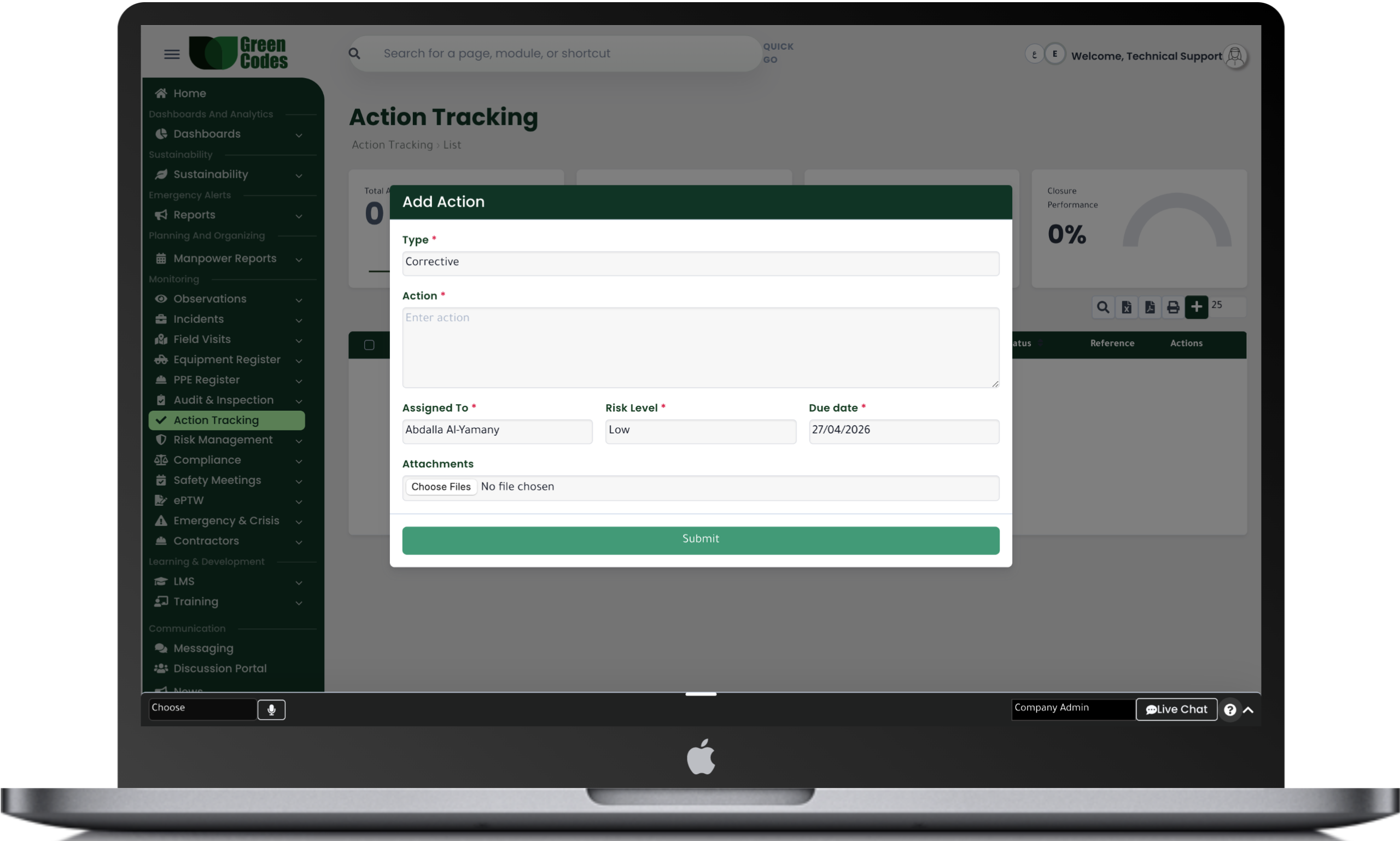
The Task Tracking System within the Green Codes platform provides a complete digital solution for creating, assigning, and monitoring all tasks, corrective actions, and preventive actions efficiently. The system allows organizations to easily create tasks, define descriptions, priorities, and due dates, and assign responsible persons for execution, ensuring clarity of responsibilities and faster completion.
The system also helps monitor the status of each task in real time, whether it is open, in progress, delayed, or closed, with the ability to add updates, attachments, and closure evidence. This improves operational performance and ensures actions are completed on time.
The system provides a complete set of reports and interactive dashboards that help track all tasks across projects or departments, such as reports for open tasks, overdue tasks, completed tasks, and completion rates by team or user.
It also provides detailed reports on closure times, average execution time, and performance indicators for different teams, helping management measure operational efficiency and make corrective decisions quickly.
The system follows a clear workflow that starts with creating the task and defining its details, then assigning it to the responsible user or the concerned team. After that, the responsible person executes the task and adds the required updates or documents, then submits it for review and closure after completion verification.
The system also sends automatic notifications before due dates and when tasks are delayed to ensure quick response.
Create Task ← Assign Responsible Person ← Execution ← Update ← Review ← Closure
- Create individual or group tasks
- Set priority levels (High / Medium / Low)
- Due dates and automatic reminders
- Real-time task status tracking
- Upload attachments, photos, and documents
- Performance reports and completion rates
- Complete log for updates and comments
- Link tasks to incidents, observations, and inspections
Frequently Asked Questions (FAQ)
What is meant by "Action Tracking" in the context of safety systems?
Task tracking involves managing actions resulting from incidents, observations, inspections, and meetings as clear tasks with an assigned owner and due date. Without a tracking system, actions turn into scattered messages that are difficult to verify. This module provides a unified dashboard showing what needs to be done, who is responsible, and the deadline for completion.
What types of tasks can be created within the system?
You can create corrective tasks to address non-conformities, preventive tasks to stop recurrence, and improvement tasks to raise performance. Additionally, operational tasks—such as updating a procedure, training a team, or inspecting equipment—can be created. Defining the task type helps analyze workload and measure the impact of actions on risk reduction.
How are tasks assigned, prioritized, and scheduled?
When creating a task, you define the description, priority, due date, and location or project. Dependencies can be added, such as requiring HSE approval before closure. This prevents superficial closures and ensures that work is prioritized based on risk and operational importance.
Are there automatic alerts for overdue tasks and management escalation?
Yes. You can activate reminders before the due date and alerts when a task becomes overdue, with escalation to the Project Manager or HSE Manager after a specific period. This helps manage commitment to deadlines, especially in projects requiring rapid risk mitigation. Overdue tasks can also be displayed on a daily leadership dashboard.
How is a task closed, and how is the effectiveness of the action verified?
Evidence of closure (such as before/after photos, inspection reports, or training minutes) can be attached and sent for review. A verification step can be assigned to a supervisor or safety team to ensure the root cause has been addressed. This aligns with the approach that views every non-conformity or incident as an opportunity for improvement through effective actions.
Can incidents be linked to corrective actions?
Absolutely. Every incident can be linked to specific corrective and preventive actions, with assigned personnel and implementation deadlines, allowing for status tracking until full closure.
Can tasks be linked to their origin, such as an incident, audit, or work permit?
Linking a task to its source maintains the audit trail and shows why the task was created and what risks are associated with it. This makes it easier to refer back to the task during audits to prove that recommendations were closed. It also helps analyze which sources generate the most tasks or the most delays.
How does the system support teamwork, comments, and attachments within a task?
Comments can be added, completion percentages updated, and files or images uploaded directly within the task to reduce reliance on external communication channels. Every update is saved in a time-stamped log showing who did what and when. This is crucial for consultant reviews or investigations into the implementation of specific actions.
What reports help management improve performance through task tracking?
The system provides reports on closure rates within deadlines, average closure time, and task distribution by contractor, project, or task source. Management can also view reports on which audit items produce the most tasks or which types of observations are most frequent. These insights help direct training or inspections toward recurring weak points.